Introduction
Fluid is a cashier for gaming websites: it handles deposits, withdrawals and payment method management on your site, driving the transactions through payment orchestrators on your behalf.
Fluid offers three different widgets you can integrate into your website, each addressing a different cashier need: the full featured Fluid Widget for deposits and withdrawals, the inline Fluid Quick Deposit for one click deposits during gameplay, and Fluid Virtual for sweepstakes purchases and redemptions. All three are web components added to your page and they share the same integration model, so most of what you learn for one applies to the others.
By default, and in the setup we recommend, the cashier presents itself as Fluid's own modal overlay on top of your site: you add the element and open it, and Fluid takes care of the whole presentation. Embedding the cashier inline within your own layout is also supported where the experience calls for it, such as the Quick Deposit element during gameplay. Native apps that wrap your website in a webview integrate exactly the same way as the web integration described in this manual.
This page gives an outline of each widget. New to Fluid? Start with the Quick start for a minimal working integration, then read Session handling, which is the most common source of first integration problems.
1. Fluid Widget
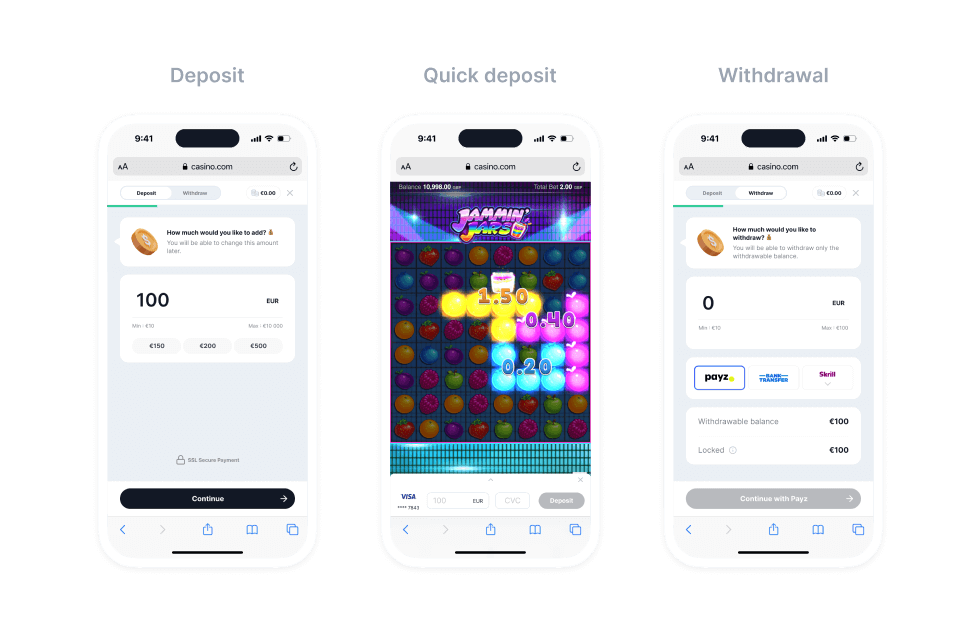
The main Fluid Widget has three principal user functions: Deposit, Quick Deposit and Withdrawal. The initial screen presented to the user for each of these functions is shown in the figure below. These principal functions allow the user to perform deposits and withdrawals with a variety of customised settings. See how to integrate it here.
2. Fluid Quick Deposit
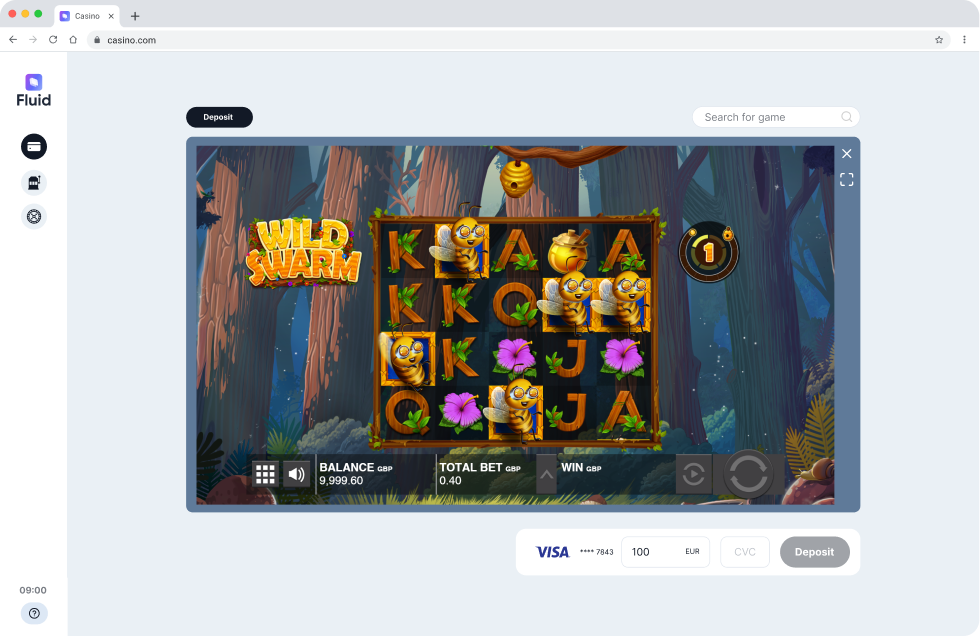
The Fluid Quick Deposit widget is a simplified version of the Fluid Wallet that allows the user to make a deposit with a single click, using their recently stored method. If the user has no stored methods, the widget emits a notification to the host website, which it can react to by opening the Fluid Wallet for regular deposit. This web component is designed with desktop gameplay in mind, and it is integrated into the DOM as an inline element, respecting its parent element styles. See how to integrate it here.
3. Fluid Virtual for Sweepstakes
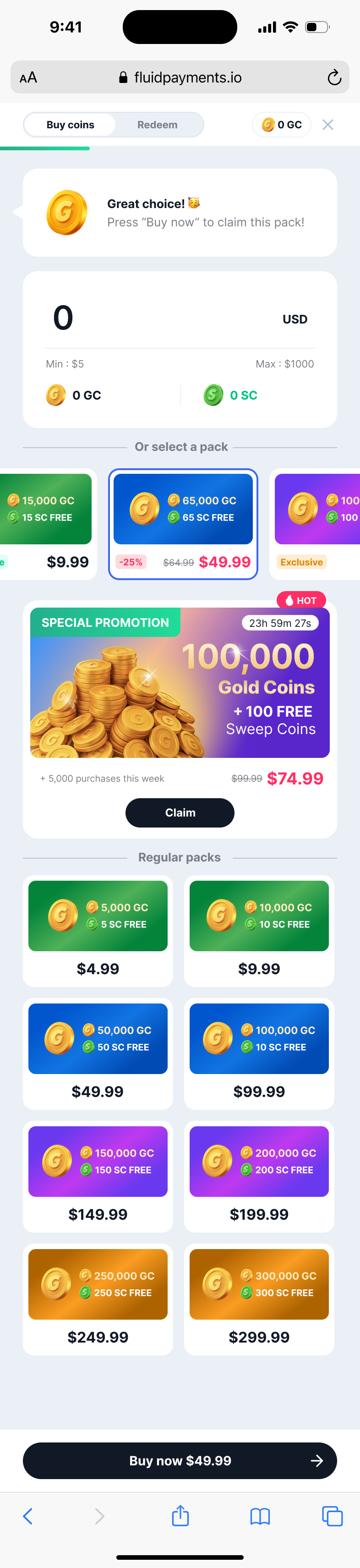
The Fluid Virtual widget is a version of the Fluid Wallet tailored for sweepstakes gameplay: users purchase virtual currency packs and redeem their winnings. See how to integrate it here.
Packs selectionFluid presents the available sweepstakes packs in a browsing area with promoted packs first, navigable through category pills when categories are configured, plus a special promotion pack in its own banner. Users can also purchase a custom amount of virtual currency via the amount input field, with the conversion presented immediately.
Visual featuresPack items can be styled with predefined visual variants to highlight specific offers and tagged with a "Hot" label to draw user attention. Operators choose which sections to display based on their promotional strategies. See the Sweepstakes integration page for the available options.