

Campaigns
Campaigns let an operator enable a themed experience for a limited period — for example, a football World Cup campaign. Campaigns are created by the Fluid team; the operator picks one and sets when it ends.
Assigning a campaign
Section titled “Assigning a campaign”In the operator’s Settings, under Visual Configuration:
| Field | API key | Type | Description |
|---|---|---|---|
| Campaign | campaign |
link | The campaign to run for this operator. Only one campaign is active at a time. |
| Campaign active until | campaign_active_until |
date_time | When the campaign ends. After this date the campaign is deactivated automatically; there is no need to remove the assignment. Leave it empty for no end date. |
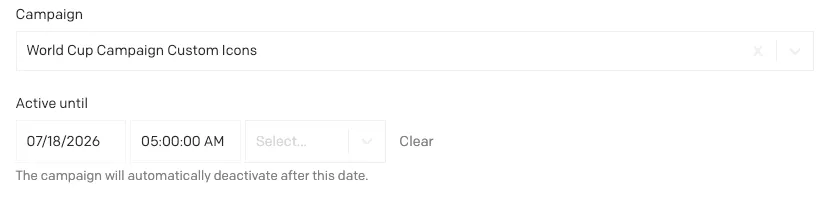 The Campaign field and Active until date in Visual Configuration
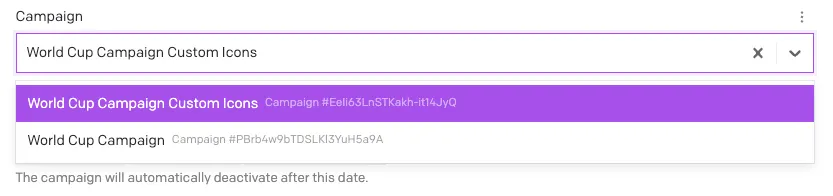 Picking a campaign from the dropdown
What a campaign contains
Section titled “What a campaign contains”| Field | API key | Type | Description |
|---|---|---|---|
| Enable success animation | success_animation_enabled |
boolean | Plays the campaign’s themed animation on the deposit and withdrawal success screens. |
| Enable custom chat icons | custom_chat_icons_enabled |
boolean | Replaces the theme’s step icons in the chat box with the campaign’s icons below. |
| Chat icon - Amount | chat_icon_amount |
file | Icon for the amount step. |
| Chat icon - Bonus | chat_icon_bonus |
file | Icon for the bonus step. |
| Chat icon - Payment Method | chat_icon_payment_method |
file | Icon for the payment method step. |
| Chat icon - Payment Details | chat_icon_payment_details |
file | Icon for the payment details step. |
| Chat icon - Secure Payment | chat_icon_secure_payment |
file | Icon for the secure payment step. |
Custom chat icons are only used when the toggle is on and at least one icon is uploaded.