

KYC Verification
The widget supports identity verification prompts across Fluid Cashier and Fluid Sweepstakes products.
How it works
Section titled “How it works”When users click a verify button, the system emits a start-kyc-verification event through both fluid-command and fluid-info channels. Fluid does not perform the actual verification. The host platform must react to the command by taking the user into your platform’s verification flow.
widget.addEventListener('fluid-command', (e) => { if (e.detail.message === 'start-kyc-verification') { // Navigate to your KYC page or open your verification dialog window.location.href = '/verify-identity'; }});Configuration drivers
Section titled “Configuration drivers”Two elements control the verification flow:
1. User verification state
Section titled “1. User verification state”The kycStatus field within the User Data Object, maintained through the reactive user-data attribute:
widget.setAttribute('user-data', JSON.stringify({ kycStatus: 'unverified', // 'verified' | 'unverified' | 'processing' lifetimeDeposit: 4500}));2. Back Office configuration
Section titled “2. Back Office configuration”Set the deposit limit per currency in the KYC Deposit Limit field, under KYC and limits in the Back Office settings. This is the most a player can deposit in that currency before verification is required.
What the player sees
Section titled “What the player sees”Fluid compares the player’s lifetimeDeposit with the deposit limit for their currency:
| Situation | In the cashier |
|---|---|
Limit not reached (kycStatus not verified, lifetimeDeposit below the limit) |
A prompt in the chat box to complete verification, with the maximum they can still deposit before verification is required (the limit minus lifetimeDeposit) |
Limit reached (lifetimeDeposit equal to or above the limit) |
A prompt in the chat box to complete verification |
Verification in progress (kycStatus: 'processing') |
A message that verification is being processed, advising the player to close the wallet while they wait |
Players whose kycStatus is verified aren’t prompted.
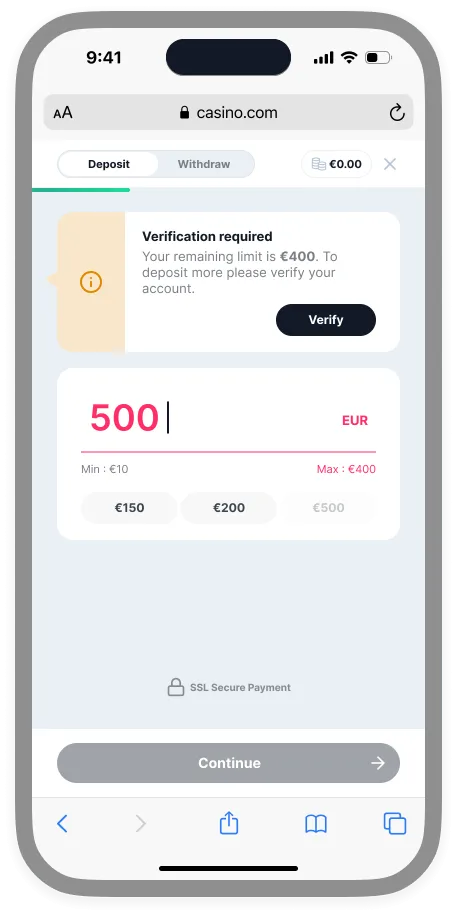 Limit not reached
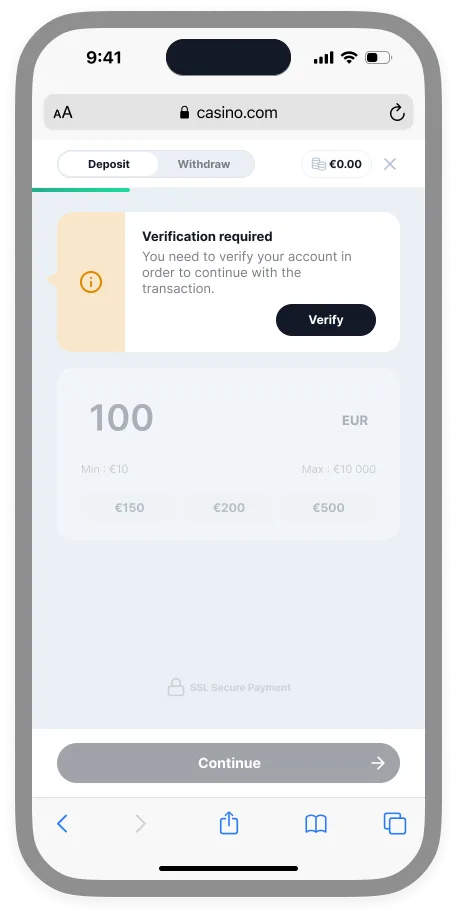 Limit reached
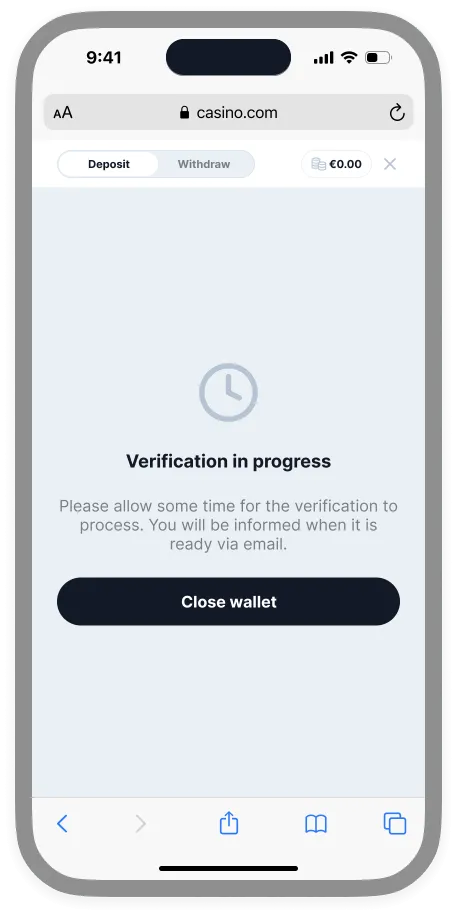 Verification in progress
Events
Section titled “Events”| Event type | Message | Description |
|---|---|---|
fluid-command |
start-kyc-verification |
User clicked the Verify button — handle this to launch your verification flow |
fluid-info |
start-kyc-verification |
Tracking counterpart for analytics |
Key concept
Section titled “Key concept”The widget serves as a notification layer that triggers your platform’s existing compliance processes — it does not replace them with Fluid’s own verification mechanisms.