

Express Flow
Express Flow shortens the deposit flow for first-time depositors (users without stored payment methods) by putting the amount, payment method and bonus on a single screen.
Enabling Express Flow
Section titled “Enabling Express Flow”Express Flow is toggled per operator in the Back Office under Visual Configuration.
How it works
Section titled “How it works”By default, a first-time depositor goes through four steps:
- Amount
- Bonus
- Payment method
- Details
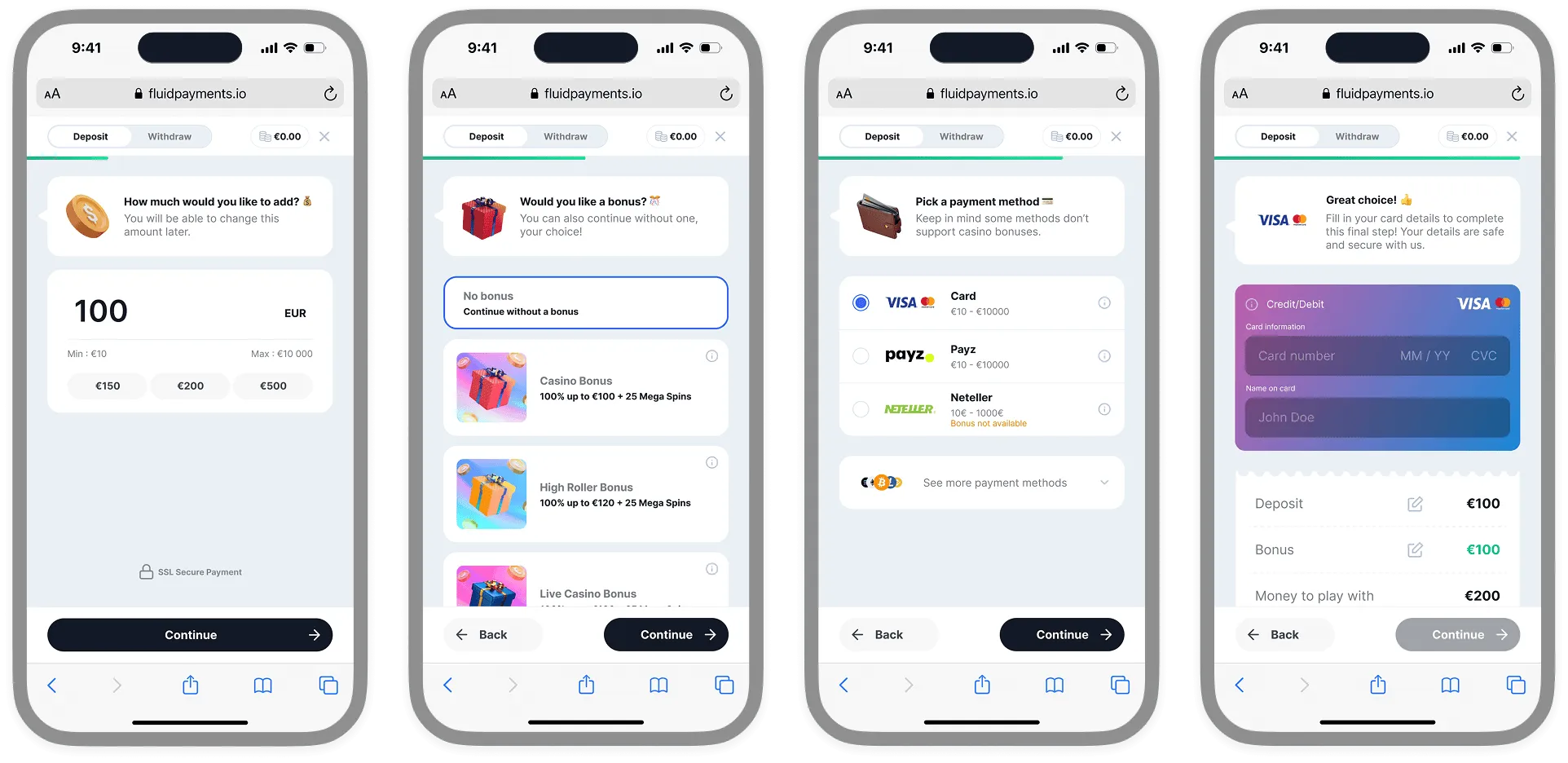 Standard flow, step 1: amount only
With Express Flow enabled, this becomes two:
- Amount, payment method and bonus (combined)
- Details
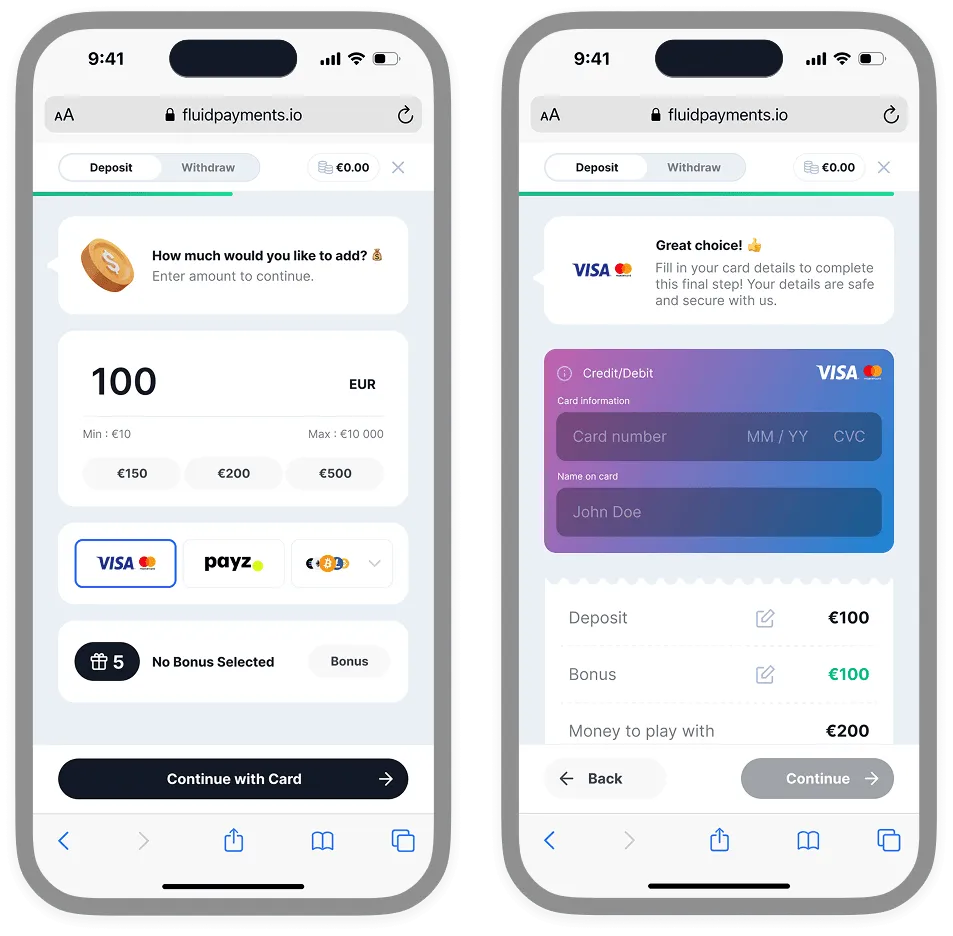 Express Flow, step 1: amount, payment method and bonus on one screen
Users with stored payment methods are not affected and keep their usual flow.
Back Office configuration
Section titled “Back Office configuration”| Setting | Description |
|---|---|
| Express Flow toggle | Enables or disables the feature for the operator |
| Countries with Express Flow (optional) | Alpha-3 country codes, comma-separated (e.g. GBR, DEU, FRA). If the toggle is on and no countries are listed, Express Flow is enabled for everyone; otherwise only for users whose country is listed |