

Success Screens
Success Screens display promotional content to players after a successful deposit or withdrawal. They provide an opportunity to present relevant offers, cross-sell, or highlight features at a moment of high engagement.
DatoCMS fields
Section titled “DatoCMS fields”| Field | API key | Type | Description |
|---|---|---|---|
| Name | name |
string | Display name of the Success Screen record, used for identification in DatoCMS. |
| Promotions | promotions |
rich_text | One or more Promotion entries shown on the success screen. |
Promotions
Section titled “Promotions”Each Success Screen contains one or more Promotion blocks within the Promotions rich text field. Promotions are the individual cards or banners that appear on the success screen after a transaction completes.
| Field | API key | Description |
|---|---|---|
| Countries | countries |
Comma-separated Alpha-3 codes. The promotion is shown only if the cashier is opened in one of these countries. Leave empty for all countries. |
| User Tags | user_tags |
Tags passed in the user data. The promotion is shown only if the player has at least one of them. Leave empty to ignore tags. |
| Title | title |
Title of the promotion. |
| Description | description |
Short promotion message. |
| Tag | tag |
Label in the top-left corner of the promotion, e.g. “Featured Game” or “Free Spins!”. |
| CTA Link Label | cta_link_label |
Text on the promotion button. |
| CTA Link Url | cta_link_url |
Where the button takes the player. |
| Thumbnail | thumbnail |
Image for the promotion, in a 2:1 ratio. |
To add a promotion, click + New Promotion at the bottom of the page, or duplicate an existing one from the three-dot menu next to its header. To delete one, choose Remove Block from the same menu, which also lets you reorder promotions. Click Save to apply your changes.
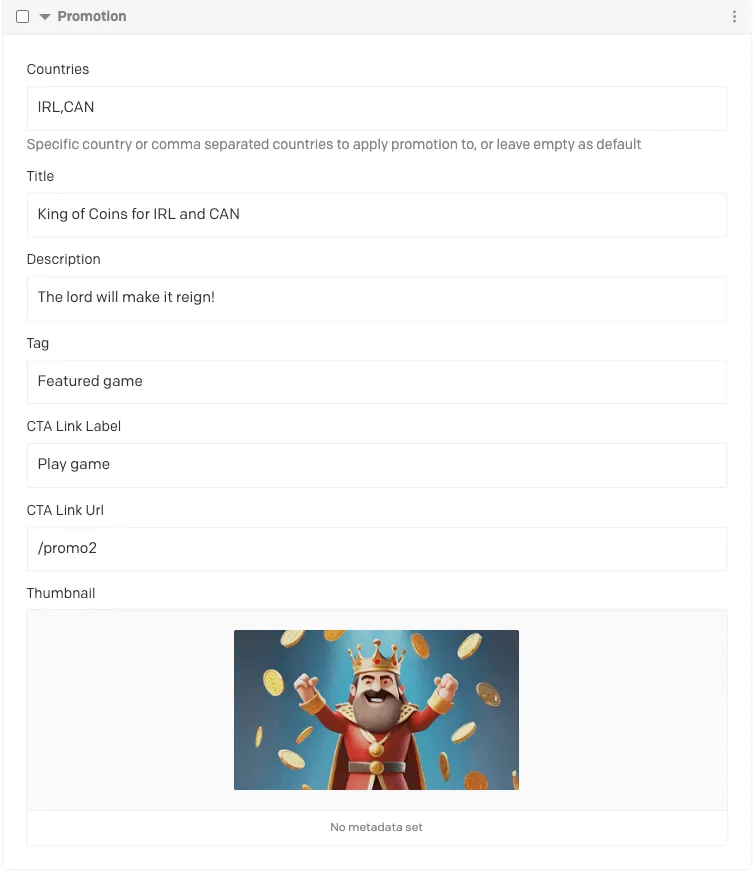 Setting up a promotion in DatoCMS
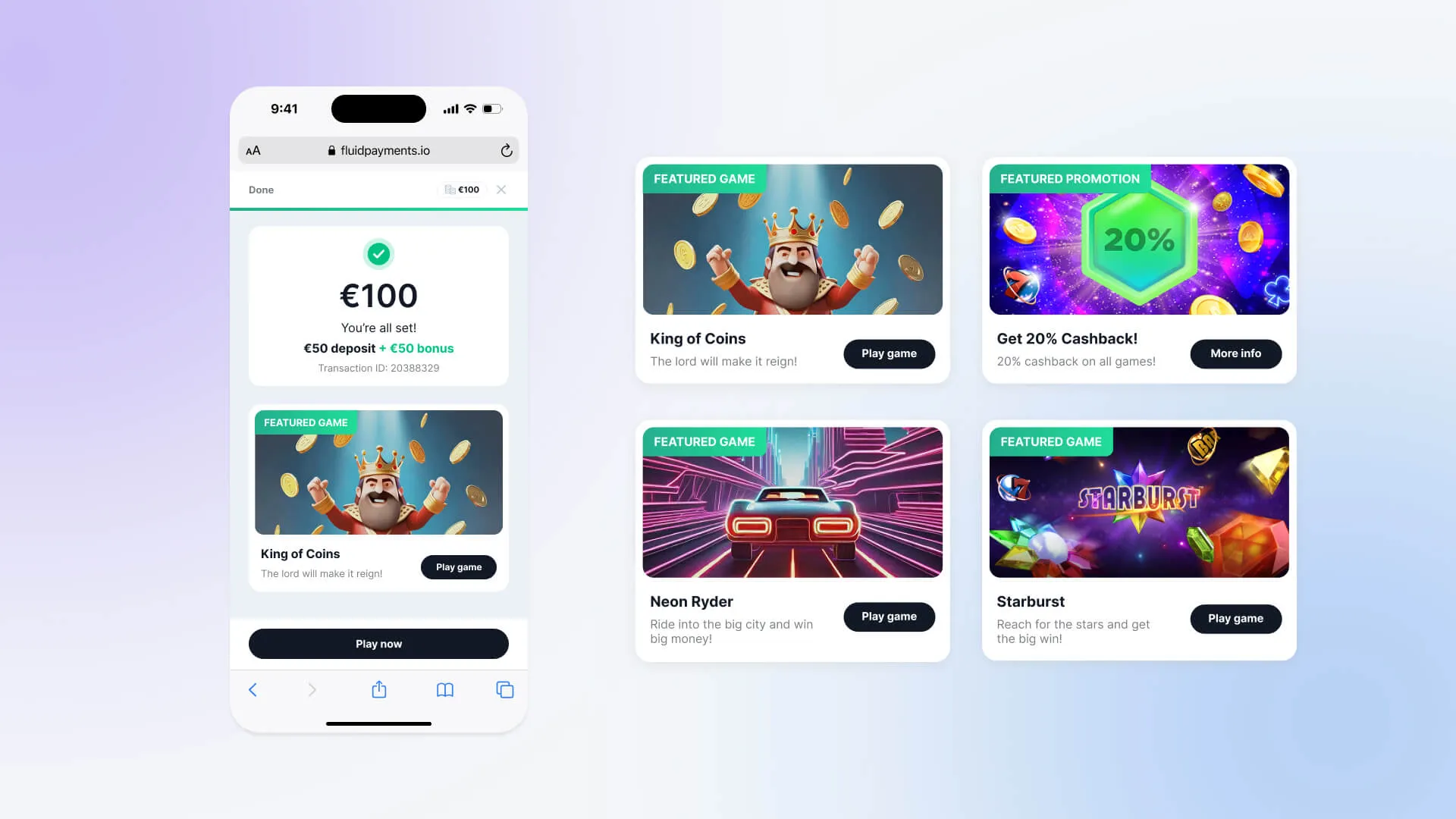 The promotion as the player sees it
Key behaviour
Section titled “Key behaviour”- Multiple promotions — a single Success Screen can contain several promotions. Only one is shown: the first in the list that matches the player.
- Targeting — a promotion can be scoped to countries (comma-separated Alpha-3 codes) and to user tags from the user data. If both are set, the player must match both; for tags, one matching tag is enough.
- Untargeted promotions — a promotion with no countries and no user tags is a fallback: it is shown only when no targeted promotion matches the player. If nothing matches and there is no untargeted promotion, no promotion is shown.
- Reordering — promotions can be reordered to adjust which one takes priority when multiple promotions match the same audience.